
If you’ve tried uploading a photo or video to the Activity Feed and see an error message, it might be because the file type is not supported (apple HEIC images need to be converted to .jpg or .png) or the file is too large.
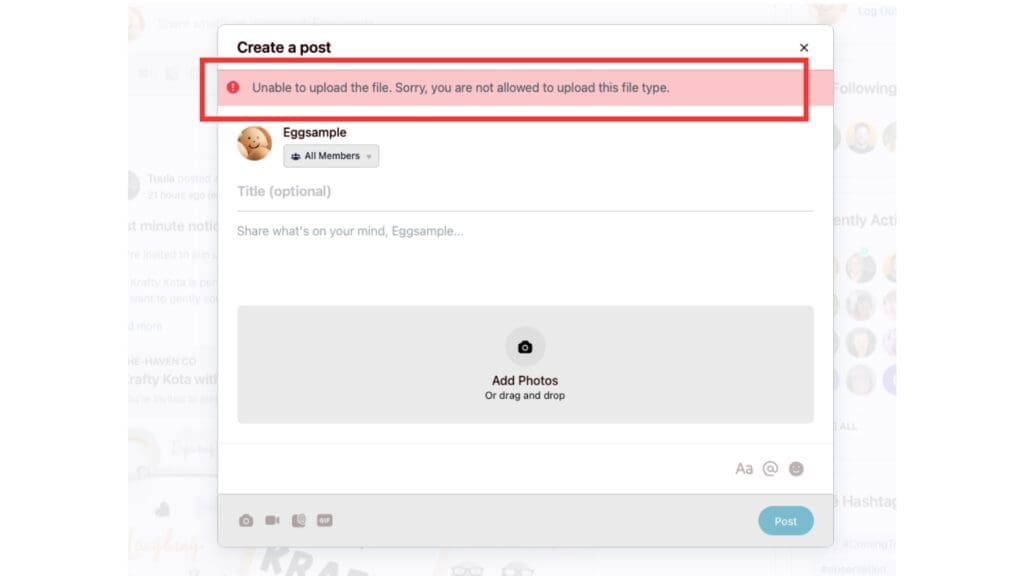
Use .jpg or .png for images and mp4, mov, WebM, ogg, or m4v for videos.
Images cannot exceed 12MB.
Videos cannot exceed 64MB.
If you want to share a larger video then you can host it elsewhere (e.g. YouTube), and share the link on a post. It will automatically embed so we can watch it from the activity feed.
You See an “Upload Failed” Notice
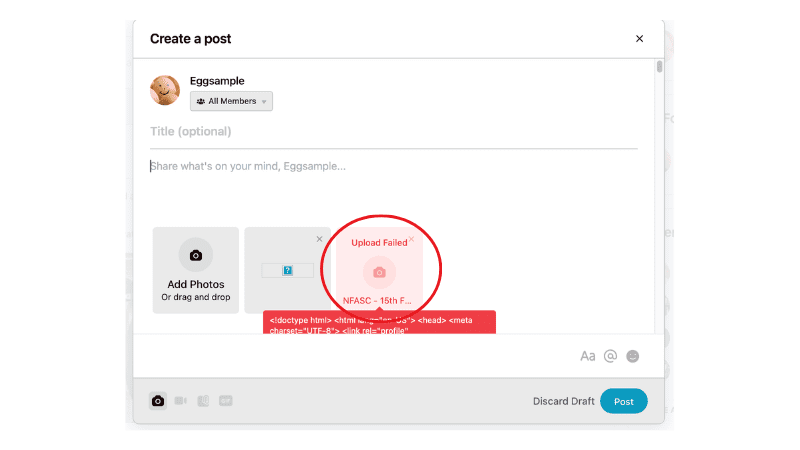
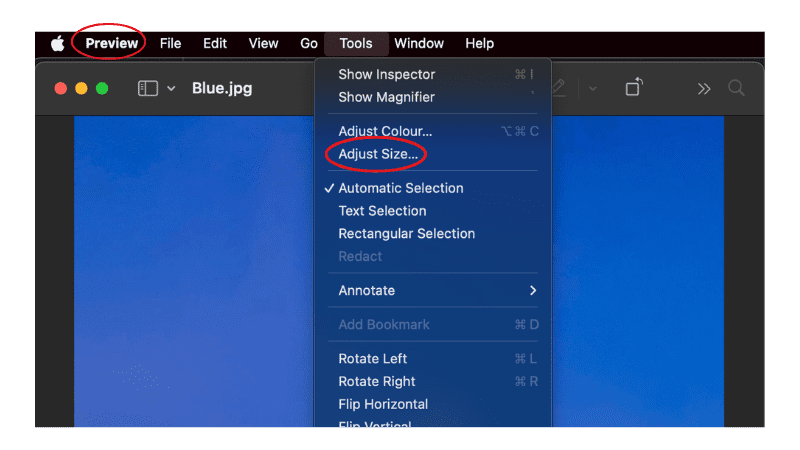
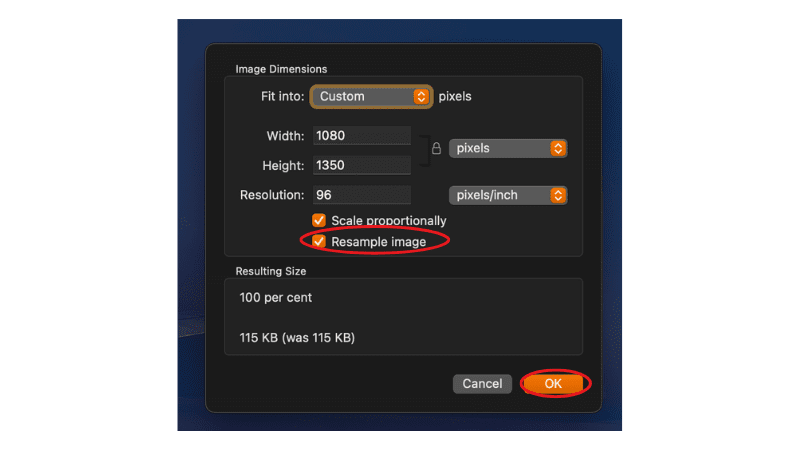
Occasionally jpg images will display a red “Upload Failed” label. It’s unclear why this happens (I’m working on fixing it). If this happens, try “resampling the image” in a plugin like Preview (Apple) or anything else you have the option to “Adjust Size”. You shouldn’t need to change the image dimensions. Hit OK and save the image again. Try uploading and it should work.
If it still doesn’t work, try converting it to a different image type (e.g. from jpg to png)
If you have tried the above and can’t see any reason for the error, it might be an issue somewhere else. In which case, send me a message and share as much detail as you can so I can get it sorted as quickly as possible. Send me a message through the Contact Form.